A pocket companion for the curious reader
Hear what you read.
Listen. Translate. Stay with the page.
Three small ways to understand.
The collection / 01–03Chapter 01 / Listening
Your words. Your pace.
READ CHAPTERGive a sentence a voice. Slow it down, hear it again,
and make room for every syllable.
At your own pace
Chapter 02 / Translation
A new language. The same page.
READ CHAPTERA little clarity, right beside your selection.
Find the meaning without opening another tab.
One less open tab
Chapter 03 / Preferences
A little help. On your terms.
READ CHAPTERYour language, your voice, your reading rhythm.
Decide what happens when you select a little text.
Yours to adjust
Hear the rhythm of a sentence
Your words. Your pace.
Choose a voice for your language and make room for every syllable. Slow a passage down, hear it again, and keep reading when you’re ready.
- Choose an eligible installed system voice
- Adjust speed from 0.5× to 2×
- Replay, or pause and resume when your voice supports it

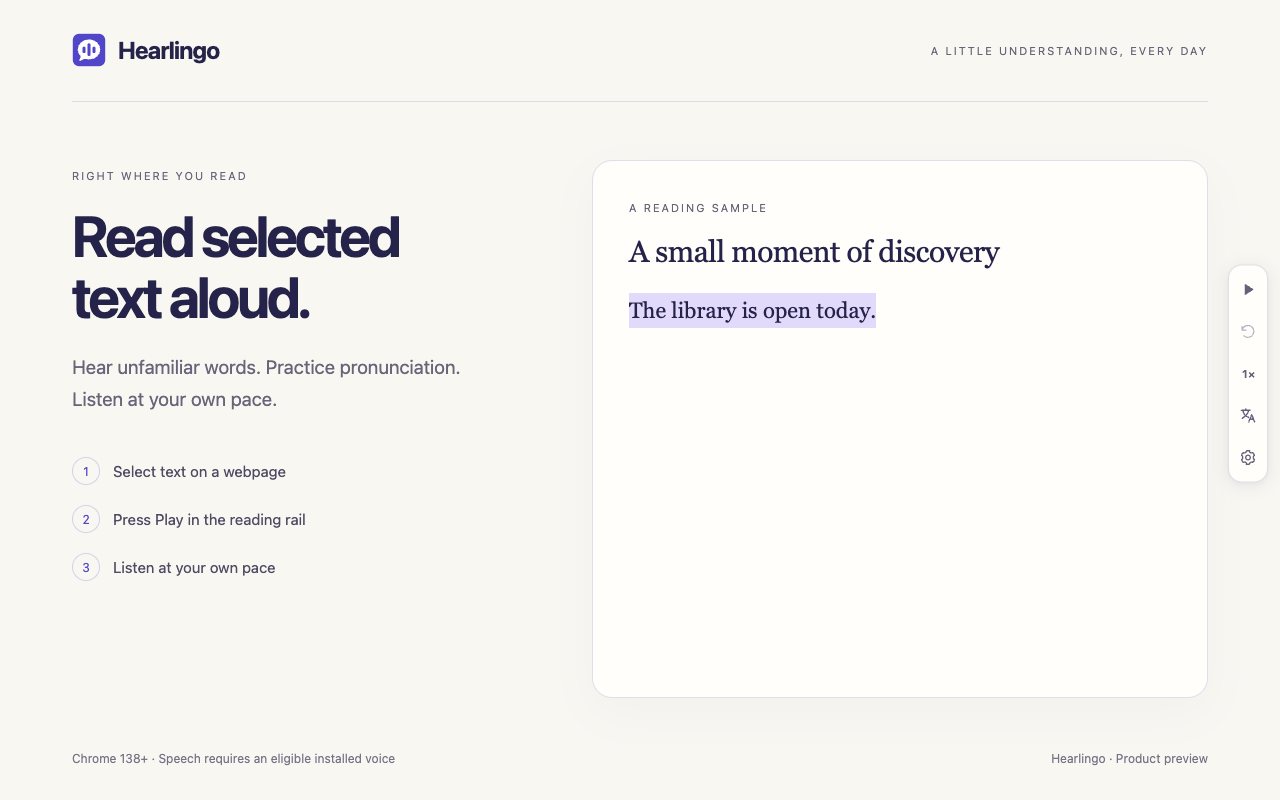
A passage to try
A small moment of discovery
The library is open today. Between the shelves, a familiar word takes on a new meaning. Sometimes, understanding begins with simply hearing it again.
Already have Hearlingo? Select a sentence here and press Play selection.
This is a reading sample. The installed, enabled extension provides the player.
Find a little clarity
A new language. The same page.
Choose your source and target languages, then see a translation beside the text you selected. A little help, right where you’re reading.
- Uses Chrome’s built-in, on-device Translator
- Choose from 39 source and target language options
- Copy a translation when you need it elsewhere

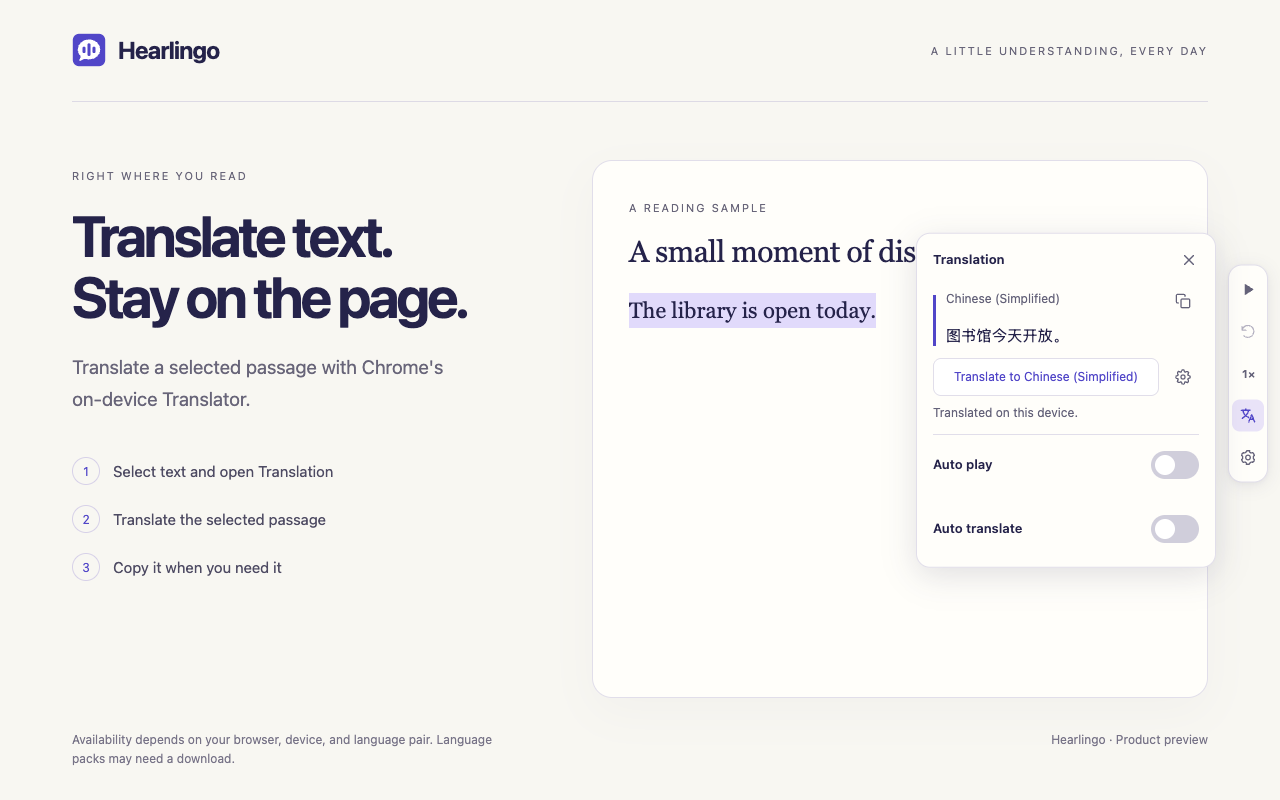
Availability depends on your browser, device, page, and language pair. Chrome may need to download language packs. HTTPS pages are recommended.
Next: make it yoursSet your own reading rhythm
A little help. On your terms.
Keep things manual, or let new selections start the next step. Your language, voice, and speed preferences stay in local extension storage.
- Auto play
- Read a new selection aloud when you finish highlighting it.
- Auto translate
- Translate new selections into your saved target language.

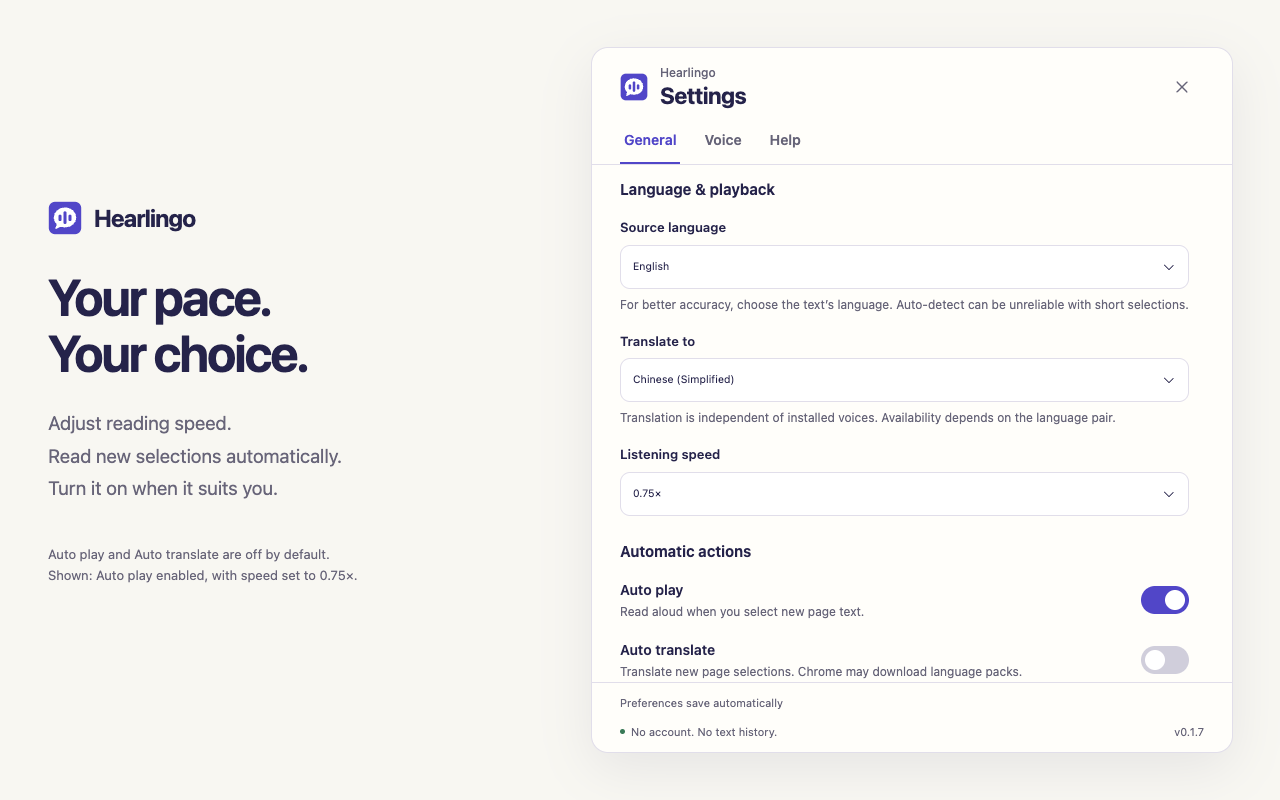
Both are off by default. Turn on either, both, or neither. Auto translate may download language packs.
Ready for a little understanding?Your next good reading habit
A few clicks. A little more understanding.
Add Hearlingo
Install Hearlingo from the Chrome Web Store. Open an ordinary webpage. Refresh it if it was already open.
Select & listen
Highlight up to 100,000 characters, then choose Play selection. Pick your source language, voice, and listening speed in Settings.
Find the meaning
Choose a language under Translate to in Settings. Return to your selection, open the translation card in the reading rail, and press Translate. Chrome may download the needed language packs.
A little more detail
Good questions.
Where can I use Hearlingo?
Hearlingo targets Chrome 138 or later on Windows and macOS. Select up to 100,000 characters on an ordinary webpage or in a supported text field. Password fields, embedded frames, Chrome internal pages, the Chrome Web Store, PDFs, and local files are not supported.
What do I need to hear a selection?
Choose the source language in General, then open Voice and preview a voice. You need an eligible installed system voice for the language you want to hear. Hearlingo filters for voices Chrome reports as local and native. If no voice is available, install one through your operating system, restart Chrome, and check again. If pronunciation sounds wrong, choose the source language explicitly.
Which languages can I translate?
Hearlingo offers 39 translation target options, including separate Simplified and Traditional Chinese options. Translation availability depends on your browser, device, page, and the particular language pair. Chrome may need to download language packs first. Use an HTTPS page, and choose another pair if your selection is unavailable.
Does it start playing automatically?
Automatic actions are off by default. Use Play selection or Translate when you want them. You can enable Auto play, Auto translate, or both in Settings for future selections. Auto translate may download language packs. Use Pause or Stop to control audio that has already started. Press Escape to stop and clear the current selection when no card or settings dialog is open.
Is my selected text saved or sent to a server?
Hearlingo has no account, analytics, or developer-operated service receiving your page text. Selected text and translations are processed in memory; translations are not saved. The latest reading may stay in memory for Replay for up to five minutes after it finishes. Chrome handles speech and on-device translation. Its later speech-provider choice means exclusively local speech delivery is not guaranteed. See the privacy policy for the full details, including website hosting.
What if playback gets stuck?
Use Stop to attempt to end the reading. If Hearlingo still cannot confirm the audio has stopped, restart Chrome. Hearlingo keeps new playback blocked while audio status is uncertain.
A word from its creator
Small discoveries, every day.
Hearlingo is a Chrome extension by Daichi Ishiguro. A word, a sentence, a small discovery: listen and translate right where you’re reading.
Need a hand, have a question, or just want to share a thought? Get in touch with Daichi.
Say helloNo account, analytics, or developer-operated service receiving your page text. Read the full privacy details.
Back to the collection